01
Start with the agency’s operating requirements
Bullhorn’s healthcare page describes an ATS and CRM with dedicated workflows for travel nursing, locum tenens, allied health and per diem. It also describes credentialing, provider self-service, shift matching and time/pay capabilities. It would be inaccurate to dismiss Bullhorn as a general ATS with no healthcare functionality.
StaffTiva connects agency clients, candidates, job orders, job-specific pipelines, recorded credentials, placements and weekly timesheets. Its appeal should be assessed through that concrete workflow. Compare the product scope and package required by your desk rather than treating a longer feature list as proof of a better fit.
02
Test the same credential-to-placement handoff
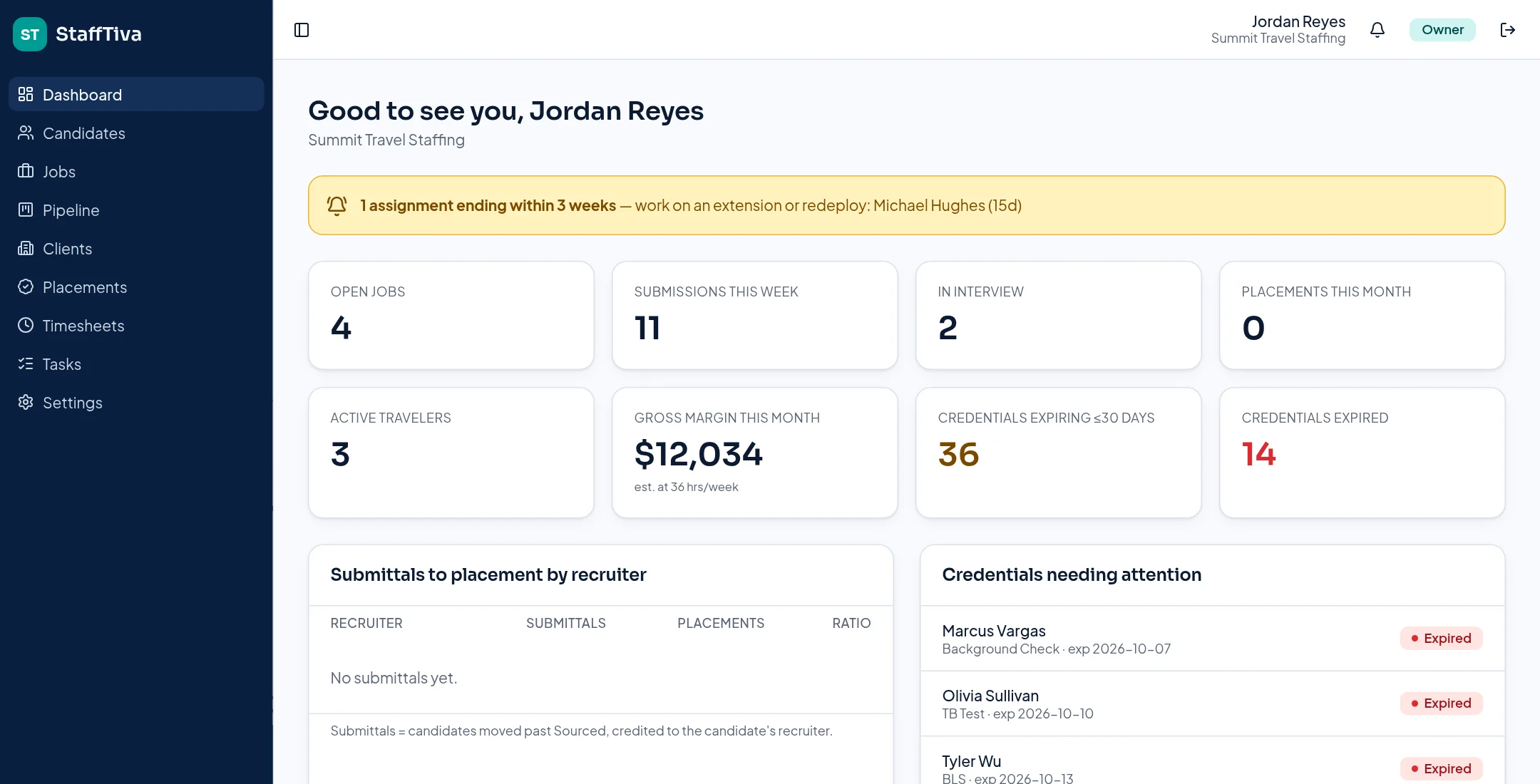
Ask both vendors to demonstrate a clinician with a recorded license, an expiring certification and a proposed assignment. Review how a recruiter finds the clinician, identifies missing job requirements, prepares the submission and handles an assignment ending soon. In StaffTiva, expiry badges and job-required credential checks support review, with extension follow-up surfacing three weeks before the placement ends.
Neither a vendor demonstration nor a status badge should replace your agency’s verification process. Confirm which licensing checks, document workflows and provider experiences are included in the exact Bullhorn package under consideration. StaffTiva does not perform primary-source license verification.
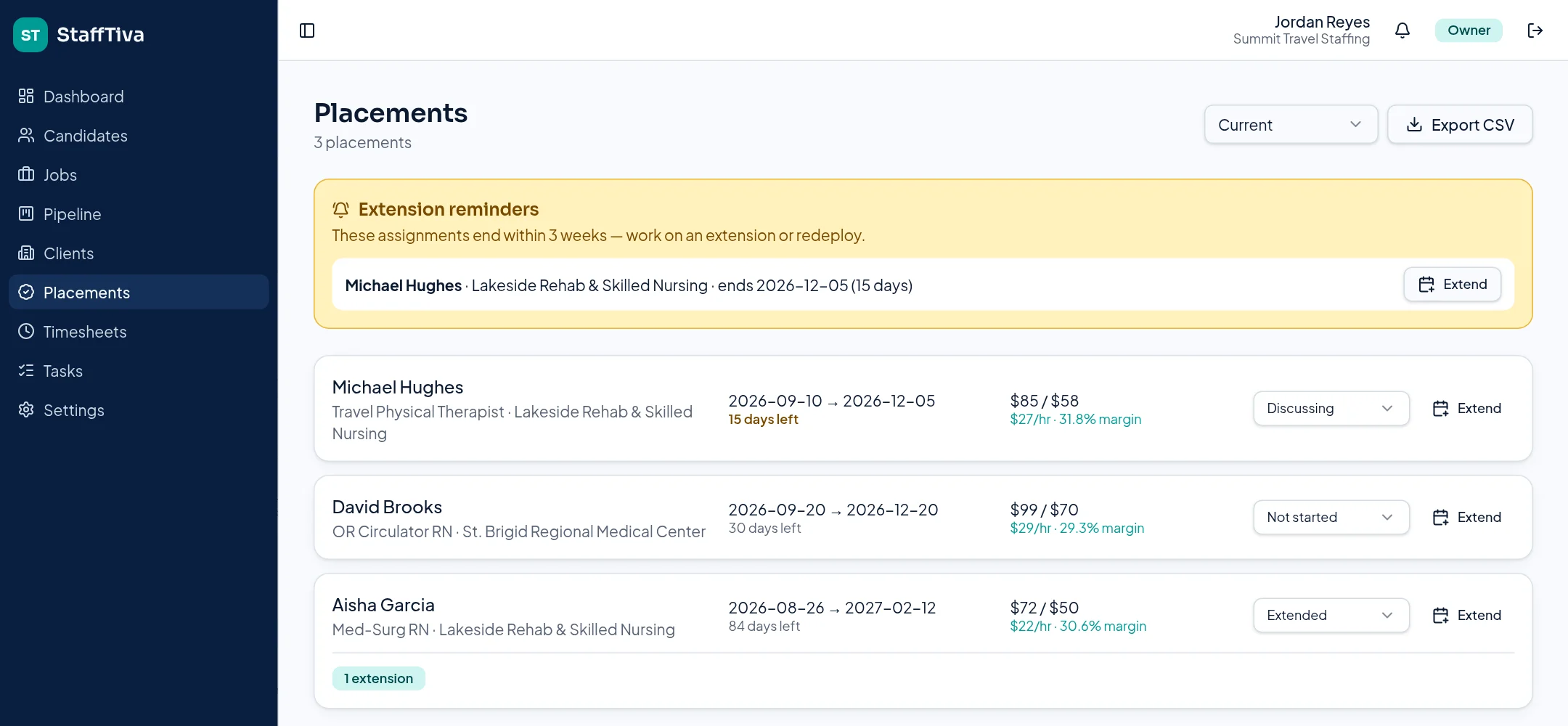
StaffTiva placement records show assignment dates, hourly rate spread and extension attention. StaffTiva demo agency.
03
Check scheduling and back-office needs explicitly
Bullhorn describes provider portals, shift matching and time/pay capabilities on its healthcare page. Confirm how those capabilities are packaged and connected to your proposed setup. StaffTiva supports candidate portal access and owner-approved weekly placement timesheets, but it is not a payroll engine or a real-time self-booking shift system.
If payroll, shift dispatch or a particular integration is mandatory, put it on the evaluation checklist before choosing. A team that mainly needs agency CRM, recruiting and placement visibility has a different buying question from a team replacing its entire scheduling and pay infrastructure.
04
Compare total cost and migration scope
StaffTiva publishes its company-based plans and included recruiter seats on the pricing page. Obtain a current Bullhorn quote for the required package, users, implementation and integrations; this comparison does not invent a competitor price or promise savings.
Run a sample migration and review candidate fields, credentials, ownership, attachments and submission history. StaffTiva supports candidate/client CSV import, but that is not a promise of automatic Bullhorn history or attachment migration. Decide which records you need to preserve and test the actual handoff before committing.
Who should choose StaffTiva vs Bullhorn
Choose StaffTiva if you run a 2–25 recruiter healthcare desk
You want clients, job orders, clinician credentials, placements and gross margin in one workspace with published prices and a self-serve trial.
Choose StaffTiva if you're outgrowing spreadsheets
Your team tracks credential expiry and extensions by hand and needs date-based alerts and a pipeline before a large implementation project.
Choose Bullhorn if payroll and shift booking must live in your ATS
Bullhorn describes time/pay and shift-matching capabilities. StaffTiva is not a payroll engine or self-booking shift system.
Choose Bullhorn if you depend on a large integration marketplace
If VMS, background-check or e-signature connectors are mandatory today, StaffTiva does not offer those integrations yet.
Price example: a 5-recruiter agency
StaffTiva
$266/month
Starter plan with 3 extra seats, from published prices. No setup fee; 14-day free trial.
Bullhorn
Request a quote
Bullhorn does not publish healthcare package prices. Ask for users, implementation and integration costs.
Switching checklist and timeline
- Export candidates, clients and contacts from Bullhorn to CSV
- List credential types and expiry dates you must keep
- Decide which attachments and history to archive outside the new system
- Map Bullhorn fields to StaffTiva's CSV templates
- Import a 50-record test file and review duplicate warnings
- Re-create open job orders and active placements with rates and end dates
- Invite recruiters and set Owner, Recruiter and Account Manager roles
- Run both systems for one week, then cut over
Week 1
Export data, map fields, test-import a sample file.
Week 2
Full candidate/client import, re-enter open jobs and active placements.
Week 3
Team training, parallel run, cutover once records check out.
A typical small agency timeline, not a guarantee; large histories or attachments take longer. StaffTiva imports candidates and clients by CSV and does not migrate Bullhorn data automatically.
Payroll & accounting: what you can export
Keep your payroll and accounting provider. StaffTiva supplies generic CSV files, not QuickBooks, ADP, Gusto or other provider-ready formats. Your team maps the fields, checks worker identities, reconciles hours and rates, and confirms your provider can accept the data.
- Timesheets CSV: candidate, client, job, week start, regular hours, overtime hours, status and notes. Select Approved before exporting approved hours. No pay rates or worker payroll IDs are included.
- Placements CSV: candidate, client, job, start/end dates, bill rate, pay rate, margin per hour, extension status and extension count. Match this separately to the timesheet export; there is no automatic payroll join.
- Not supported: payroll calculation, tax withholding, client invoices, accounting-ledger exports or direct accounting/payroll sync.
Review integrations and gaps, security evidence and the migration checklist before deciding. Verify any required screening, e-signature or scheduling connection independently.
At-a-glance comparison
| Evaluation point | StaffTiva | Bullhorn: official product description |
|---|---|---|
| Healthcare focus | Healthcare agency CRM, ATS, credentials and placements | Dedicated travel, locums, allied and per diem workflows |
| Credential workflow | Recorded expiry dates and job-required checks; no primary-source verification | Healthcare credentialing capabilities; confirm package and verification scope |
| Scheduling and pay | Job/placement records and approved weekly timesheets; not payroll or self-booking | Describes shift matching and time/pay capabilities |
| Pricing decision | Published company plans and included seats | Request a quote for your proposed package |
| Integrations (QuickBooks, payroll, background checks) | No QuickBooks, payroll-provider or background-check integrations. Payroll handoff: CSV export of approved weekly timesheets and placements (hours, rates, dates) for your payroll team to import | Marketplace of partner integrations; confirm which connectors are in your package |
Sources & review scope
This StaffTiva-authored guide uses official vendor descriptions, not independent product testing. Packages and capabilities may change; confirm them with each vendor. Table summaries use the sources below.
Questions & answers
Does Bullhorn support healthcare staffing?
Yes. Bullhorn’s healthcare product page describes specialty workflows, credentialing and provider-related capabilities. Evaluate the proposed package rather than assuming those features are absent.
Is StaffTiva guaranteed to cost less than Bullhorn?
No. StaffTiva’s public prices are available, but a fair comparison needs a current Bullhorn quote plus implementation, integration and migration costs.
Can StaffTiva replace every Bullhorn integration?
That is not established. List the integrations and scheduling/payroll workflows you depend on and confirm each requirement before switching.