Who should choose StaffTiva as a Bullhorn alternative
- A small healthcare agency replacing spreadsheets with shared client, candidate and placement records—not replacing a payroll engine.
- A travel or allied desk with its own payroll provider that wants recorded credential expiry and extension follow-up.
- A team prioritizing published seat-based prices and a self-serve CSV pilot over reproducing an extensive integration marketplace. Keep Bullhorn on the shortlist if existing connectors or shift operations are essential.
01
Define the problem before replacing the platform
An agency looking for a Bullhorn alternative may be reviewing costs, implementation complexity, workflow fit or the day-to-day experience of a small recruiting team. Write down the actual problem and test whether a different product resolves it. Bullhorn already advertises healthcare-specific workflows and credentialing, so the decision should not rest on an inaccurate claim that it lacks healthcare functionality.
StaffTiva is worth evaluating for an agency that wants shared client records, job orders, candidate profiles, credential follow-up and placements. It is not a promise to reproduce every Bullhorn customization or integration. Keep essential requirements separate from preferences before beginning a migration.
02
Choose a real healthcare workflow as the trial case
Use an existing type of staffing request: a travel nurse extension, an allied health order or a locums assignment. Enter the client, rates, dates and required credentials. Review a clinician with the relevant specialty, availability and licensed states, then progress the job pipeline and record the placement.
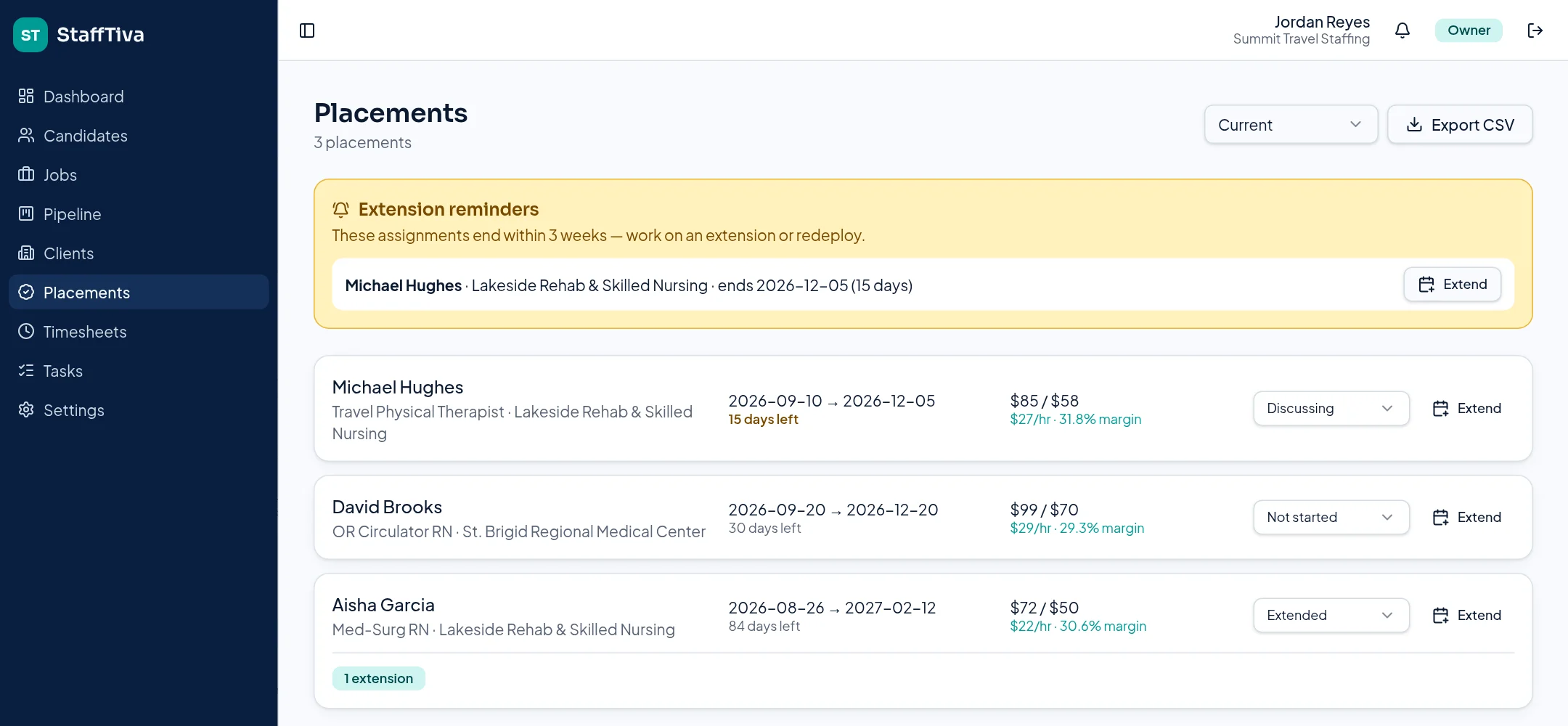
StaffTiva offers expiry badges, job-required checks and a three-week assignment-end reminder. Observe whether those tools address the specific handoff problems your team experiences. Verify clinical eligibility through the usual sources rather than treating the trial’s sample credential data as clearance.
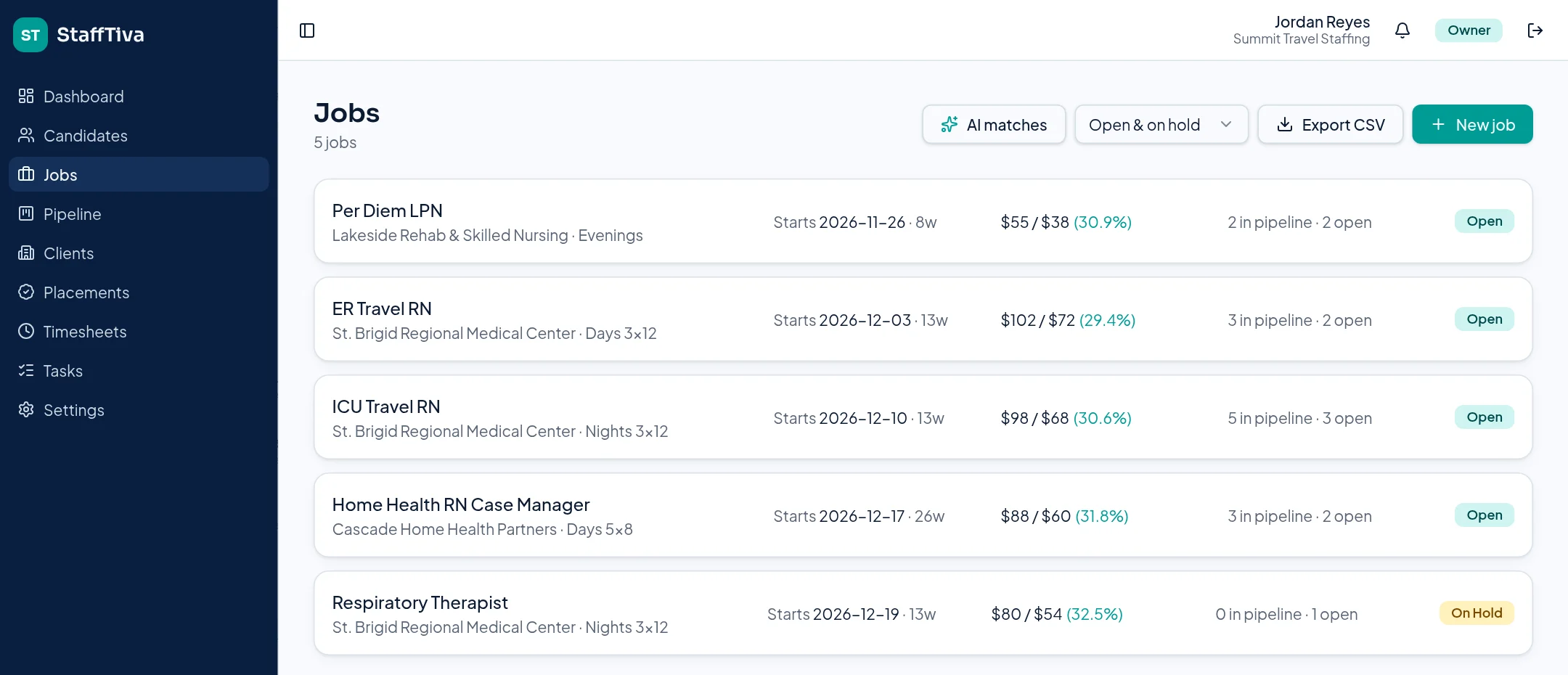
Test the full job order handoff with clinical requirements, rate spreads and pipeline counts. StaffTiva demo agency.
03
Plan exports and data mapping before a cutover
Identify which candidate/client records you can export and which histories, attachments, placements and linked records need a separate plan. StaffTiva supports candidate and client CSV import with duplicate checks; that is not the same as a complete automated Bullhorn migration.
Map professional fields, states, ownership and dates on a small sample first. Decide what will be retained in the previous system and how documents will remain accessible. A successful sample import should be followed by validation with the recruiters and account managers who will use the records daily.
04
Confirm the workflows that remain outside StaffTiva
If your agency depends on payroll, a shift marketplace, self-booking, a particular screening provider or complex reimbursement calculations, verify those needs independently. StaffTiva supports weekly timesheets and hourly rate spreads but is not a payroll or real-time dispatch engine.
Compare the published StaffTiva plans with the current cost of your complete Bullhorn setup, including retained systems and migration work. This is a vendor-authored evaluation guide, not a neutral market ranking or a guarantee of savings. Keep the change reversible until the essential workflows and records have been tested.
Payroll & accounting: what you can export
Keep your payroll and accounting provider. StaffTiva supplies generic CSV files, not QuickBooks, ADP, Gusto or other provider-ready formats. Your team maps the fields, checks worker identities, reconciles hours and rates, and confirms your provider can accept the data.
- Timesheets CSV: candidate, client, job, week start, regular hours, overtime hours, status and notes. Select Approved before exporting approved hours. No pay rates or worker payroll IDs are included.
- Placements CSV: candidate, client, job, start/end dates, bill rate, pay rate, margin per hour, extension status and extension count. Match this separately to the timesheet export; there is no automatic payroll join.
- Not supported: payroll calculation, tax withholding, client invoices, accounting-ledger exports or direct accounting/payroll sync.
Review integrations and gaps, security evidence and the migration checklist before deciding. Verify any required screening, e-signature or scheduling connection independently.
Sources & review scope
This StaffTiva-authored guide uses official vendor descriptions, not independent product testing. Packages and capabilities may change; confirm them with each vendor. Table summaries use the sources below.
Questions & answers
Who should evaluate StaffTiva as a Bullhorn alternative?
Healthcare agencies seeking connected CRM, recruiting, credential records and placement visibility can evaluate it. Agencies needing payroll, shift dispatch or specific integrations should verify those requirements first.
Can we automatically import all Bullhorn records?
That is not verified. StaffTiva supports candidate/client CSV import; linked history, attachments and other records need a tested migration plan.
Should we cancel Bullhorn before the trial?
This guide does not recommend that. Validate workflows, exports and retained records before deciding on a cutover.