
01
Make every credential a dated record
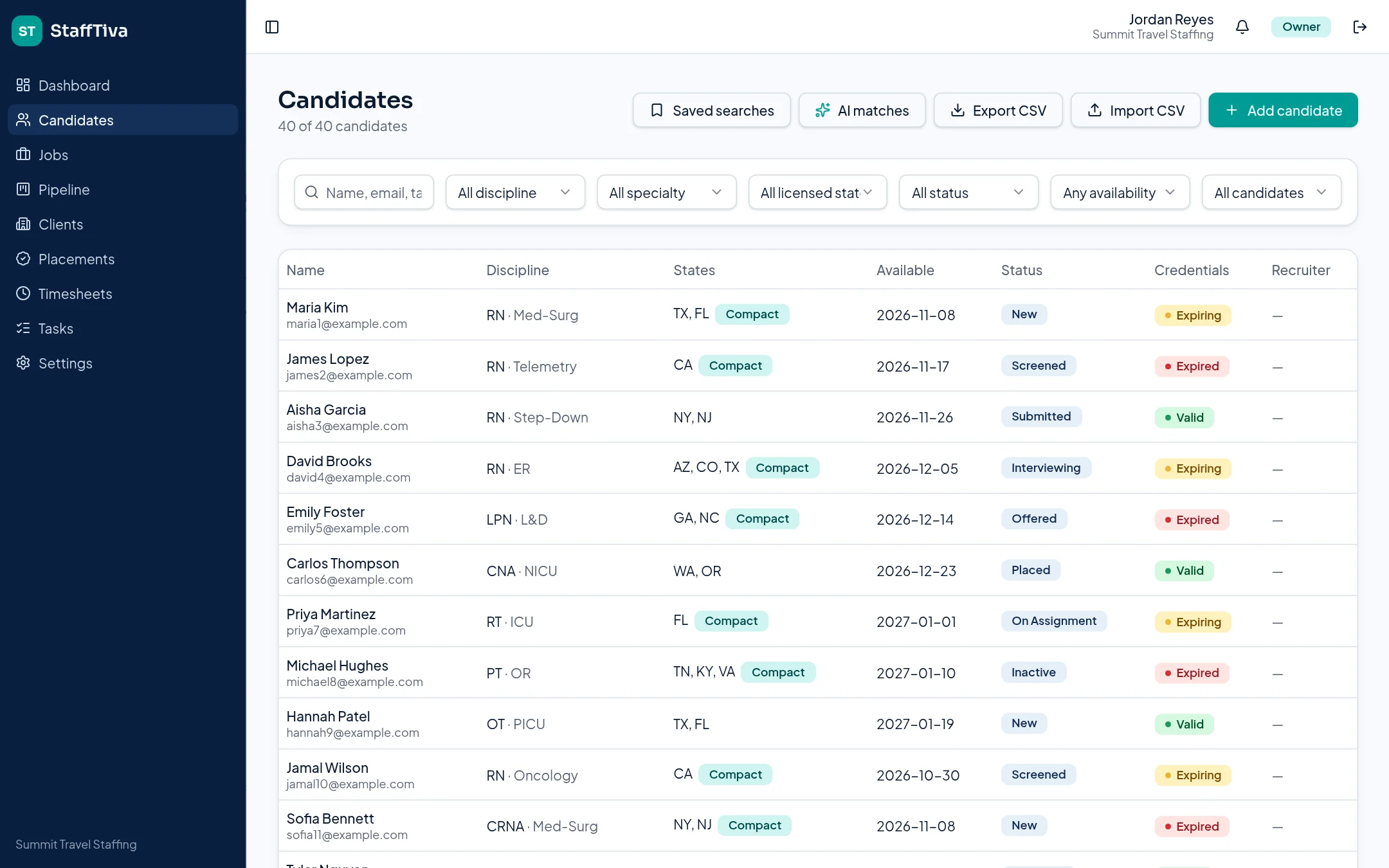
A folder of uploaded files cannot tell a recruiter which license is about to expire. StaffTiva keeps credential type and expiration date with the candidate record, along with supporting documents. Green means valid, yellow means expiry within 30 days, and red indicates an expired or missing requirement.
Dates entered by your team drive those flags. Keep the source document and the recorded date aligned, especially after a renewal. A current date in the software is not primary-source verification, and a badge should never be represented as a guarantee of eligibility or facility approval.
02
Check the requirement list for the specific assignment
Enter required credentials on the job order. During the submittal workflow, StaffTiva compares those types with the candidate’s records and warns about missing, expired or soon-to-expire items. This keeps the requirement list attached to the actual facility request instead of assuming that one universal checklist fits every clinical role.
A BLS record may be relevant across many roles, while an ICU, pediatric or other specialty request may require additional documentation. Confirm the exact facility requirements in your compliance process, and review the supporting records before clearing the clinician to start.
03
Put expiry follow-up where the work happens
The dashboard counts expiring and expired credentials so owners and recruiters can identify attention needs. Candidate records retain the detail, while linked tasks can assign renewal follow-up. An assignment’s end-date reminder and a credential expiry are different deadlines: a clinician might need renewal while the assignment is still active.
StaffTiva provides in-app visibility and date-based flags. This page does not promise automatic licensing-board checks, automatic renewals or a daily email digest. Your team should decide who monitors the dashboard and how to escalate unresolved requirements.
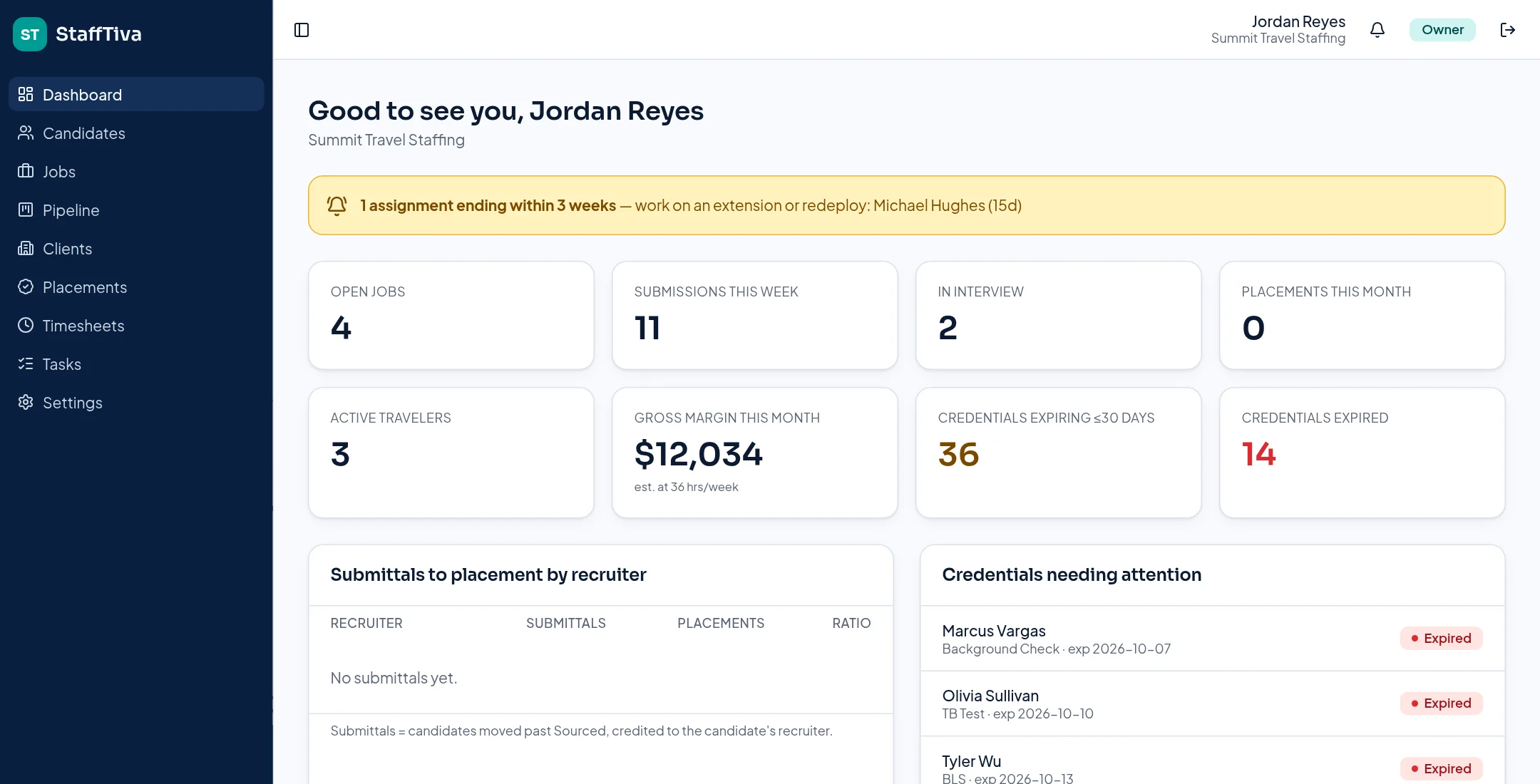
The agency dashboard surfaces credential attention alongside current staffing activity. StaffTiva demo agency.
04
Protect documents without overstating compliance
Supporting files are stored privately and opened through short-lived signed links. Client-ready candidate PDFs omit phone, email and internal notes while presenting professional information and credential status. Agency-level isolation and assigned roles control access to the workspace.
Credential tracking is one part of a compliance process. StaffTiva does not issue licenses, conduct background checks, perform hospital privileging or establish accreditation. Keep your verification procedures, facility policies and legal obligations in place, using the platform to organize records and follow-up rather than replace those responsibilities.
Questions & answers
What do the credential colors mean?
Green is valid, yellow is expiring within 30 days, and red is expired or missing. The flags are based on recorded data and do not independently verify the credential.
Does StaffTiva automatically verify licenses or renew them?
No. Your team verifies credentials with authoritative sources and updates the records. StaffTiva tracks the entered dates and supporting documents.
Can different jobs require different credentials?
Yes. Each job has a required-credential list used to flag candidate documentation gaps before submission.