
Who should choose StaffTiva instead of JobDiva
- Agencies that do not need payroll or shift scheduling inside the platform
- Travel and allied desks that already use their own payroll provider
- Small to mid-size teams that want published plans and included recruiter seats
01
Acknowledge JobDiva’s healthcare product scope
JobDiva’s healthcare page describes credentialing management, compact-license provisions, a Healthcare Wallet and healthcare applicant workflows. It also describes shift scheduling and matching, a Shift Marketplace, automated onboarding and job/rate templates. This comparison does not treat those capabilities as absent.
StaffTiva focuses its shared agency workspace on clients, candidate records, job pipelines, recorded credentials, placements and approved weekly timesheets. Compare the workflows you need in production, and ask which JobDiva features are included in the actual package you are evaluating.
02
Compare credential portability with agency records
JobDiva describes portable credential information in its Healthcare Wallet, including compact-license provisions. Ask how credential ownership, clinician access and verification operate in the proposed setup. StaffTiva keeps recorded credentials and private supporting files attached to the agency’s candidate profile, with invited candidate portal access to the clinician’s own information.
For either product, review who enters expiry dates, who verifies the original source and how job-specific requirements are evaluated. StaffTiva’s badges and submittal checks organize recorded information; they do not perform licensing-board verification or confer authorization to practice.
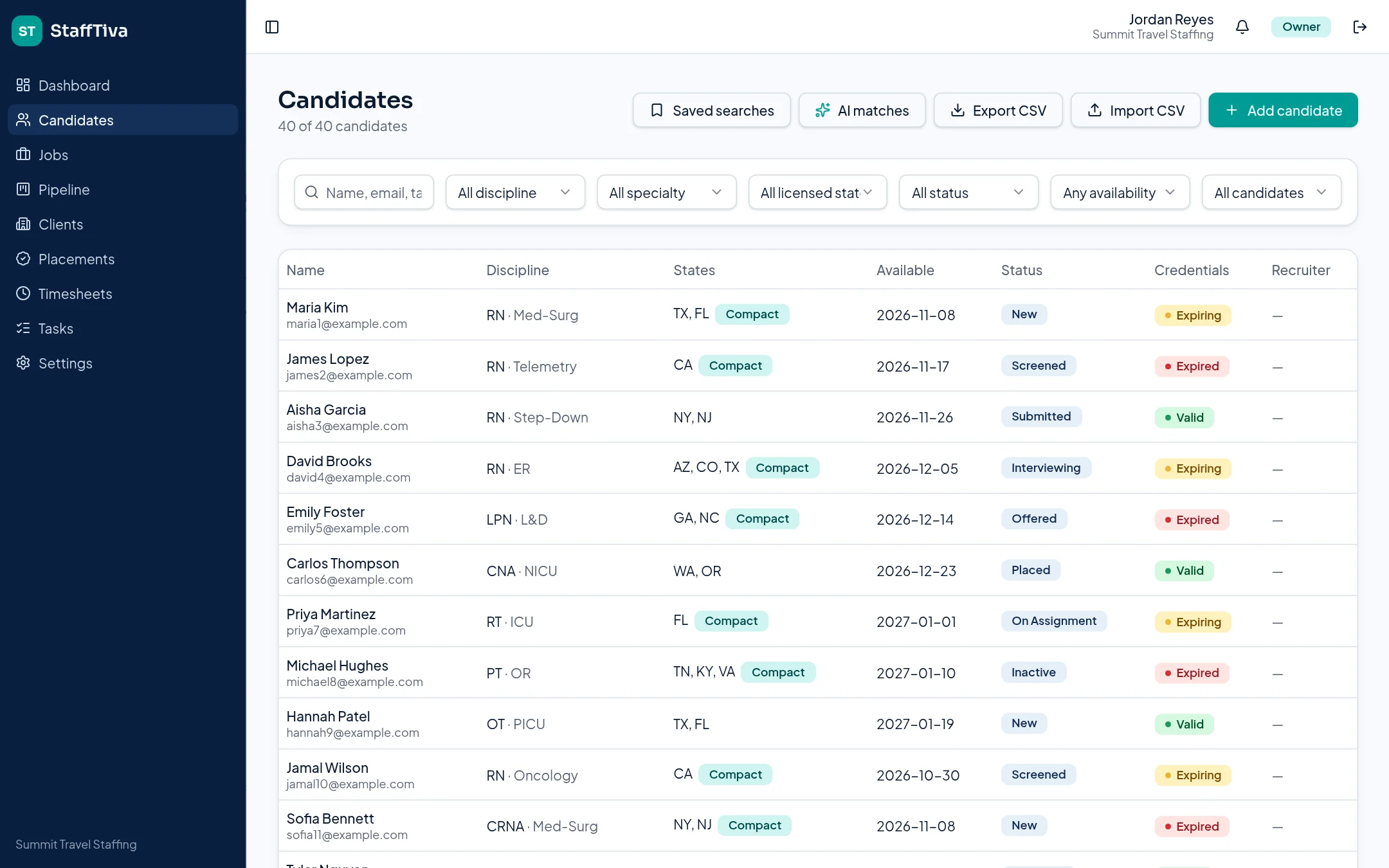
StaffTiva shows candidate credential status within the agency database. StaffTiva demo agency.
03
Separate job records from shift marketplace requirements
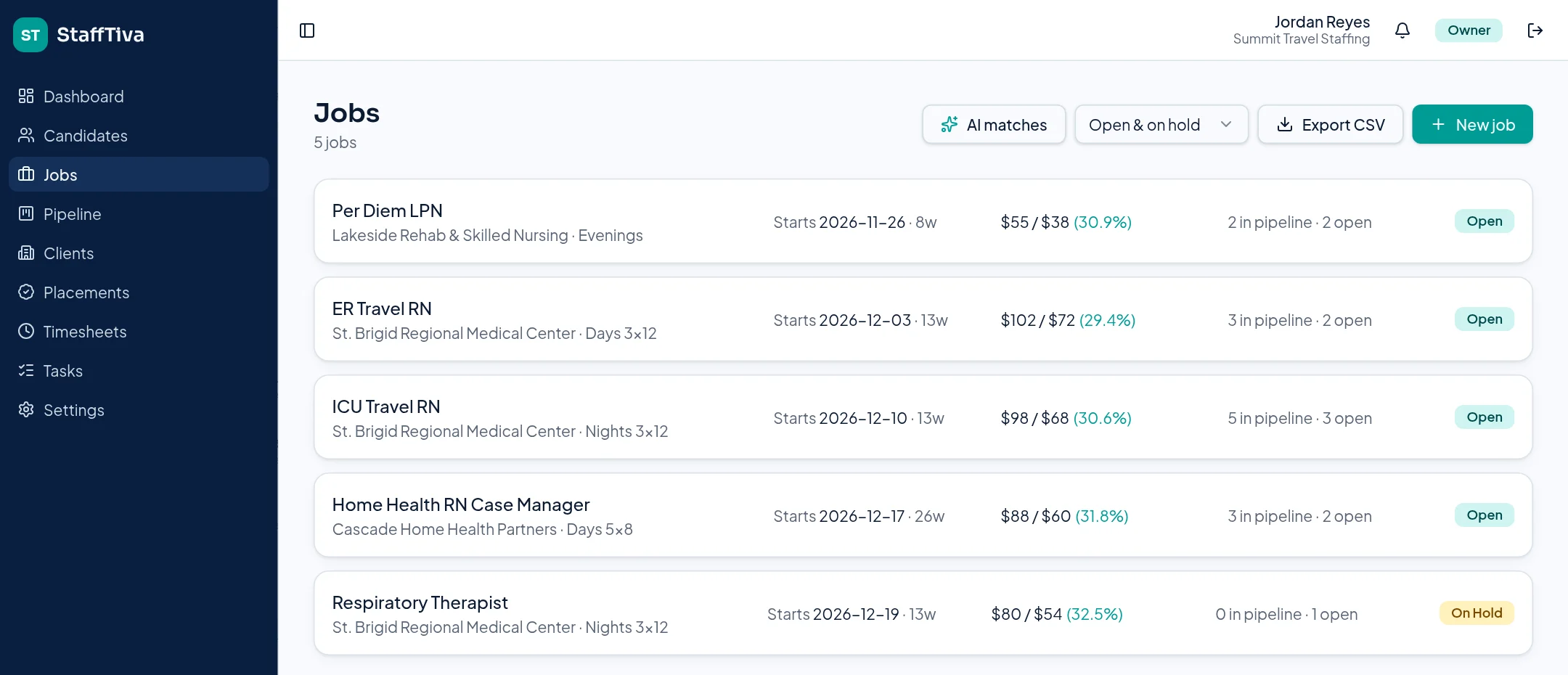
JobDiva describes shift scheduling, matching and an interactive Shift Marketplace. StaffTiva records shift information on job orders and tracks placement dates, but it does not claim a real-time shift marketplace or nurse self-booking calendar. That distinction matters particularly for a high-volume per diem desk.
Review hourly bill/pay rates and job-specific requirements in both products. StaffTiva calculates bill-minus-pay margin on jobs and placements; it does not calculate stipends, complex rate guarantees or payroll. Test any required call-rate, reimbursement or payroll process explicitly rather than assuming it follows from a rate field.
04
Test the operating handoff and total proposal
Take one healthcare order through candidate qualification, submittal, client review, placement and end-date follow-up in both systems. Include an expiring credential and a rate change in the evaluation so the demonstration is more useful than a clean sample job.
StaffTiva’s public pricing shows company plans and included seats. Ask JobDiva for a current proposal that covers your required scheduling, onboarding, back-office and integration scope. Validate CSV field mapping and attachment/history requirements before migration; this page does not promise a complete automated JobDiva transfer.
05
Payroll: yes, with your payroll provider
StaffTiva does not run payroll and has no direct QuickBooks, ADP or Gusto connection. Owners approve weekly timesheets, then export approved hours and placement rates as CSV files. Your payroll team imports or keys those files into QuickBooks, ADP, Gusto or whichever provider you already use. See the Integrations page for exactly what connects today and what does not.
Test that handoff during a trial: export one approved week, map the columns to your provider’s import format and confirm the result before you commit.
06
Per diem agencies that dispatch by phone or text
StaffTiva suits per diem desks where recruiters fill shifts by calling or texting clinicians and then record the job order, placement and timesheet. It does not offer clinician self-booking, a shift marketplace or built-in text messaging, so calls and texts happen on your existing phones.
If your model depends on clinicians claiming open shifts themselves in an app, a scheduling product such as JobDiva’s Shift Marketplace is the closer fit.
07
Security and switching
Review how StaffTiva separates agency data, controls roles and stores private files on the Security page, including what compliance documents are not yet published. When you are ready to move records, the Migration guide shows the CSV templates and import steps for candidates and clients.
Payroll & accounting: what you can export
Keep your payroll and accounting provider. StaffTiva supplies generic CSV files, not QuickBooks, ADP, Gusto or other provider-ready formats. Your team maps the fields, checks worker identities, reconciles hours and rates, and confirms your provider can accept the data.
- Timesheets CSV: candidate, client, job, week start, regular hours, overtime hours, status and notes. Select Approved before exporting approved hours. No pay rates or worker payroll IDs are included.
- Placements CSV: candidate, client, job, start/end dates, bill rate, pay rate, margin per hour, extension status and extension count. Match this separately to the timesheet export; there is no automatic payroll join.
- Not supported: payroll calculation, tax withholding, client invoices, accounting-ledger exports or direct accounting/payroll sync.
Review integrations and gaps, security evidence and the migration checklist before deciding. Verify any required screening, e-signature or scheduling connection independently.
At-a-glance comparison
| Evaluation point | StaffTiva | JobDiva: official product description |
|---|---|---|
| Credential model | Agency candidate records, expiry flags and private documents | Healthcare Wallet and compact-license provisions |
| Job/rate records | Job requirements and hourly bill/pay margin | Healthcare job screens and job/rate templates |
| Shift marketplace | Not supported; agency job board and applications | Describes interactive Shift Marketplace and scheduling |
| Back-office scope | Approved weekly timesheets; not payroll | Confirm exact back-office capabilities and package |
| Published pricing | Starter $149/month with 2 recruiter seats; Growth $299/month with 8 seats | No public price list; request a quote for your proposed package |
| Extra recruiter seats | $39, $35 or $30 per seat per month depending on plan | Priced in the quote |
| Payroll handoff | CSV export of approved timesheets and placement rates for QuickBooks, ADP, Gusto or similar | Confirm back-office and payroll integrations in the package |
Sources & review scope
This StaffTiva-authored guide uses official vendor descriptions, not independent product testing. Packages and capabilities may change; confirm them with each vendor. Table summaries use the sources below.
Questions & answers
Does JobDiva have healthcare credentialing features?
Yes. Its healthcare page describes credential management, compact-license provisions and a Healthcare Wallet. Confirm the details and package with JobDiva.
Does StaffTiva have a Shift Marketplace?
No. It supports agency job orders, a public job board, recruiting and placements—not a real-time shift marketplace or clinician self-booking.
Can StaffTiva run our payroll?
No. It records hourly rates and owner-approved weekly timesheets, but does not run payroll or calculate complex reimbursement packages.