
01
Build a shortlist around the actual clinical request
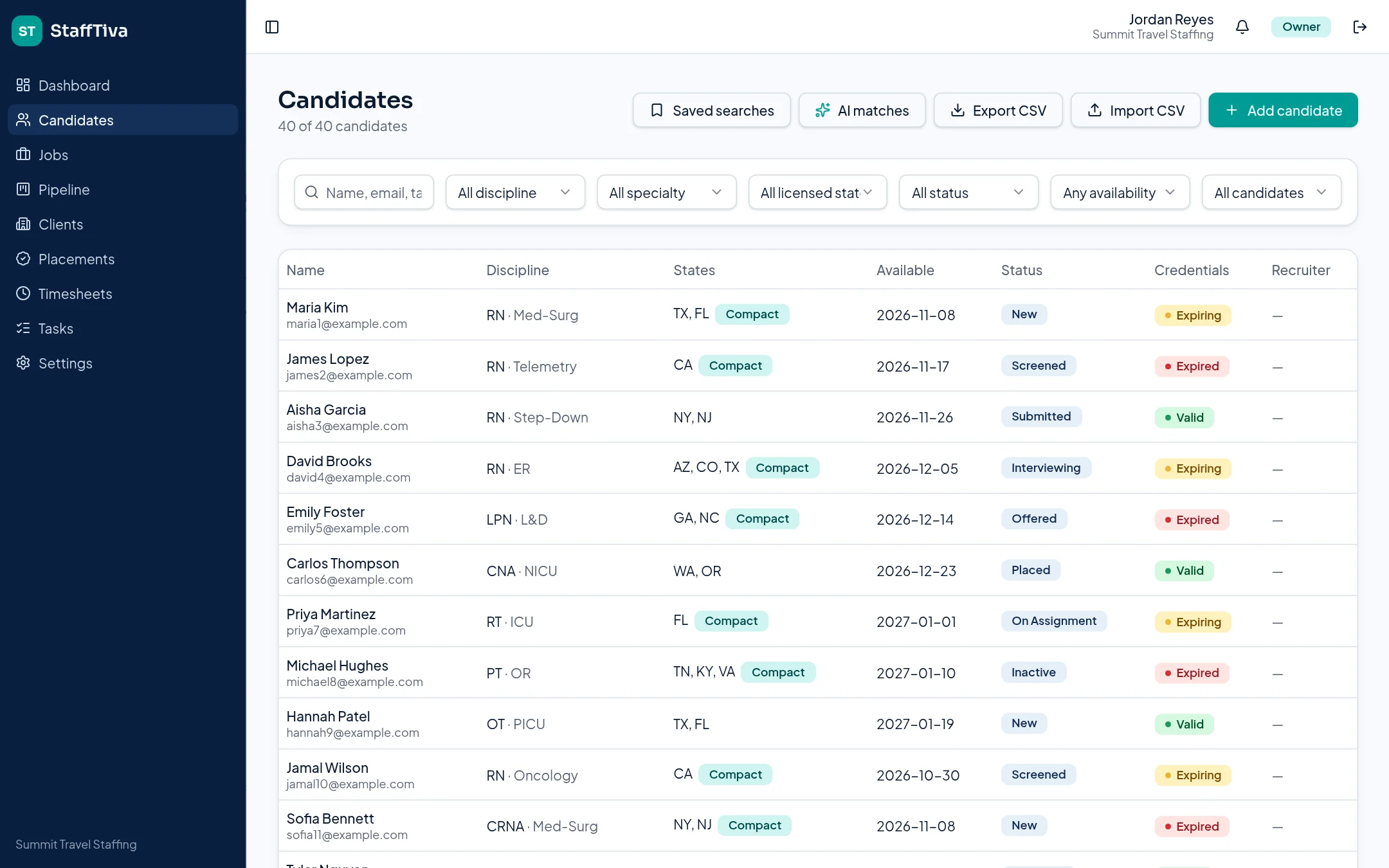
A healthcare recruiter needs more than a name and resume. StaffTiva candidate profiles record discipline, specialty, experience, licensed states, a compact-license indicator, availability date and desired pay. Search and filters help narrow the database before outreach. Shared hotlists keep frequently placed clinicians accessible, while saved searches support recurring staffing requests.
Start with the job’s clinical requirements, dates and pay range. A qualified ICU nurse who is unavailable for the proposed start should not be treated the same as a ready candidate, and a familiar clinician should still be checked against the new facility’s credential list.
02
Use matching as assistance, not clinical clearance
Owners and recruiters can request AI matches for a job or candidate and review an explanation of each suggested fit. Matching runs only when someone asks; it does not automatically contact candidates, submit them or certify eligibility. Contact details are not sent to the matching model.
A recruiter should confirm current availability, experience and licensure before using a recommendation. Keep the final recruiting decision with your team, and use the job-specific credential check to identify documentation gaps before sending the client-ready profile.
03
Track the client decision at every stage
Each job pipeline has Sourced, Submitted, Client Review, Interview, Offer and Placed stages. The board makes the difference between a shortlist and a client-reviewed submission visible. Linked tasks can hold the next follow-up so an interview or offer does not disappear in someone’s inbox.
Submissions connect the candidate with the job rather than replacing the clinician’s broader history. When the placement is recorded, its rates and assignment dates provide the next team with an operational record beyond recruiting activity.
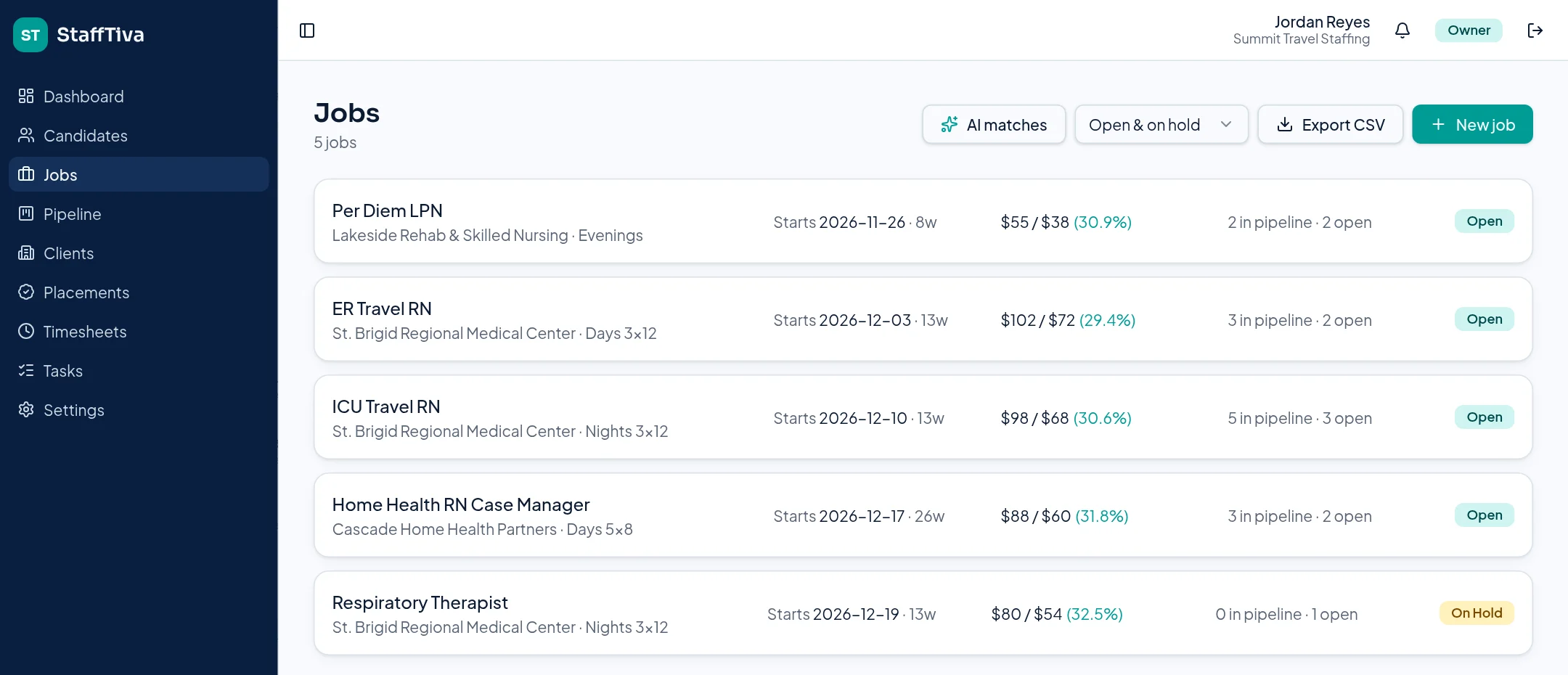
Job-level pipeline counts put recruiter activity beside the order being filled. StaffTiva demo agency.
04
Improve recruiting without reducing it to volume
The dashboard reports submissions and placement outcomes by recruiter. Use the submission-to-placement ratio as a prompt for review: were candidates clinically aligned, were credentials ready, and did the client respond in time? The number alone does not establish the quality of a recruiter or the cause of a lost placement.
Candidate timelines, tasks and job records give managers the context needed for useful coaching. Preserve that context during handoffs so an agency can improve its process without repeatedly asking clinicians for the same information.
Questions & answers
Does StaffTiva automatically submit candidates?
No. Recruiters control matching and submission decisions. AI suggestions are reviewed by a person before the next action.
Can we keep licensed states and availability on a profile?
Yes. Profiles have licensed states, a compact-license indicator and an availability date alongside discipline and specialty.
What is the difference between recruiting software and an ATS?
Recruiting software covers sourcing, qualification and follow-up; an ATS organizes applications and stage progression. StaffTiva connects those activities with clients, credentials and placements.